Features
One place for the whole journey from hours to invoice.
Every part shares the same data, so you enter things once and the numbers agree wherever you look.
Timesheets and timer
Log time the way each person prefers, and keep it tidy enough to invoice from.
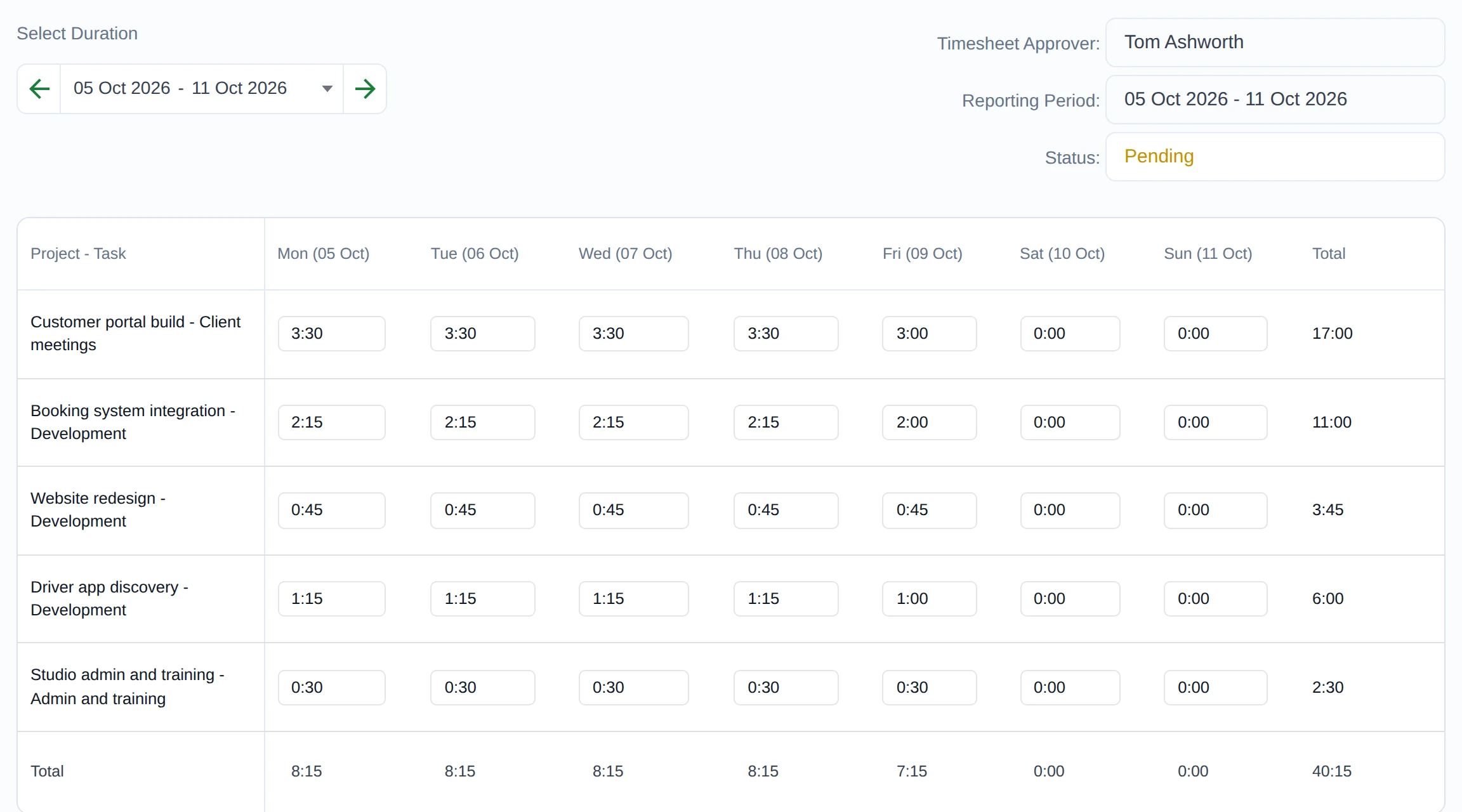
- Weekly timesheets with projects and tasks in rows and days in columns
- A live timer you can start and stop from anywhere in the app, with a reminder if it is left running
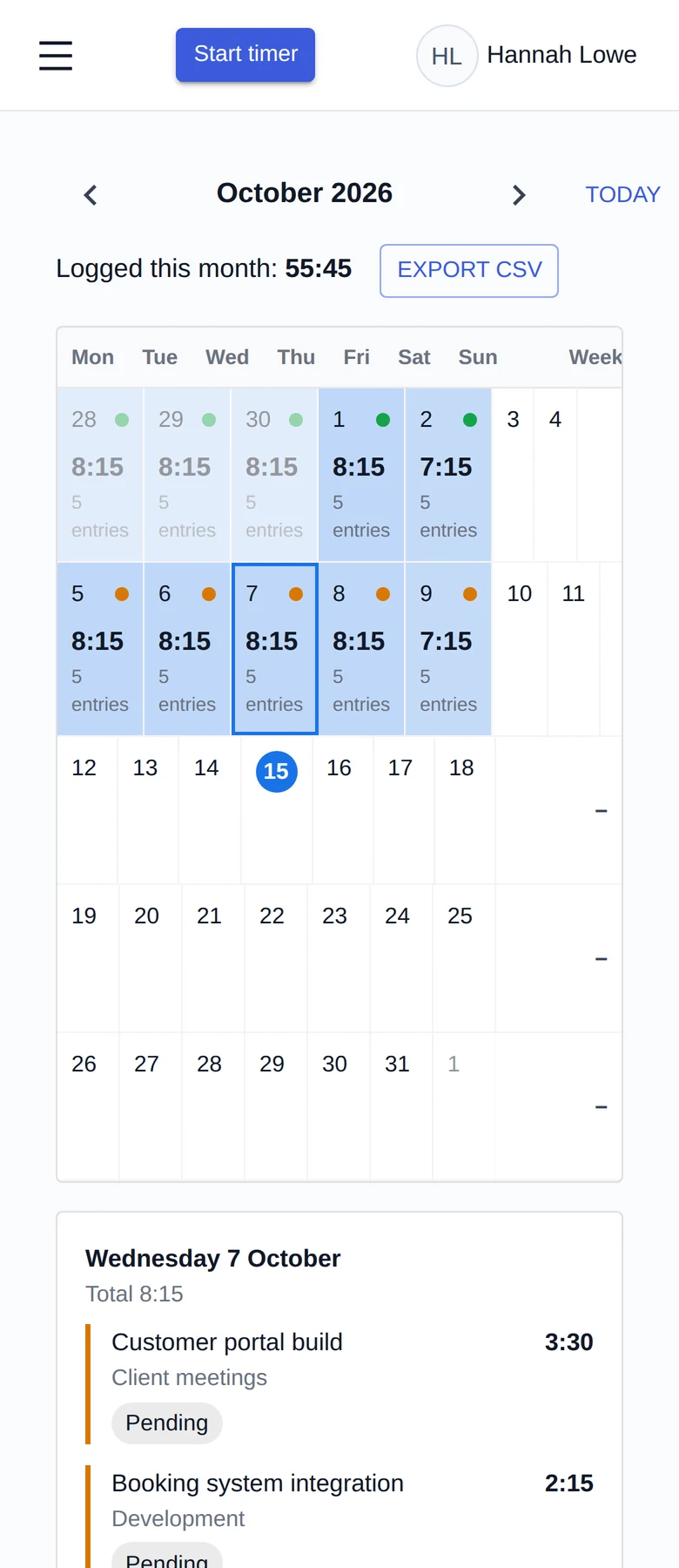
- A calendar view of everything you have logged
- Notes on every entry, and a history of changes to submitted time
- Import hours from a CSV file
- Optional rounding of timer entries to a set increment
- Works in the browser on phones, tablets and desktops, and can be installed as a web app
Projects, tasks and budgets
Know what each piece of work is, who it is for and how it is going.
- Clients, projects and tasks, with billable and non-billable work
- Rates set per project or per person
- Project budgets, with an email alert when a budget is close to running out
- Each project shows its hours, remaining budget and who has worked on it
Approvals
A simple review step that keeps the numbers honest.
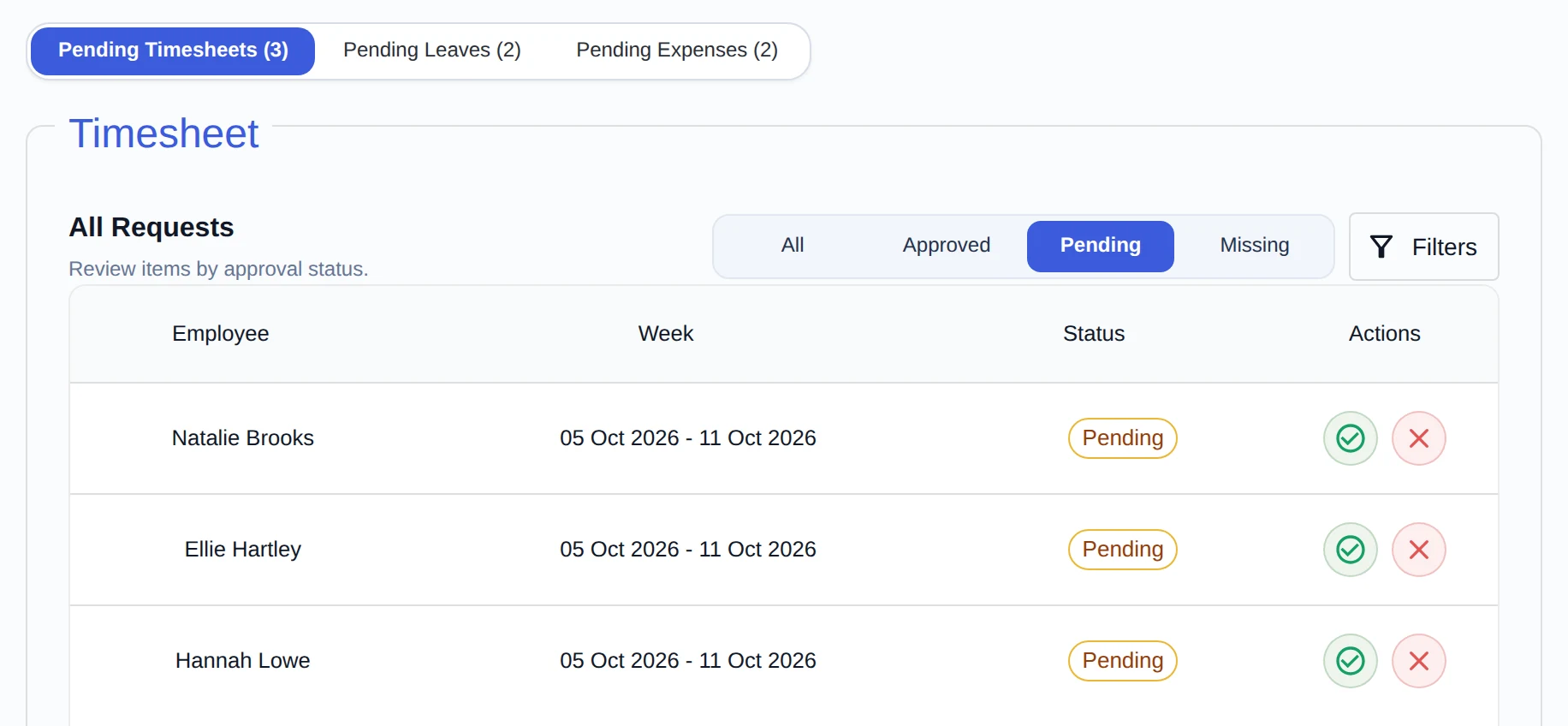
- Managers approve or reject timesheets for the people they manage
- Team members and managers cannot approve their own time; only an administrator can, so an owner working alone can still invoice
- Automatic weekly reminders for timesheets that are missing, still in draft or rejected, and a one-click reminder to approvers for timesheets that are waiting
- Only approved time can be invoiced
Resource planning
See the weeks ahead before they arrive.
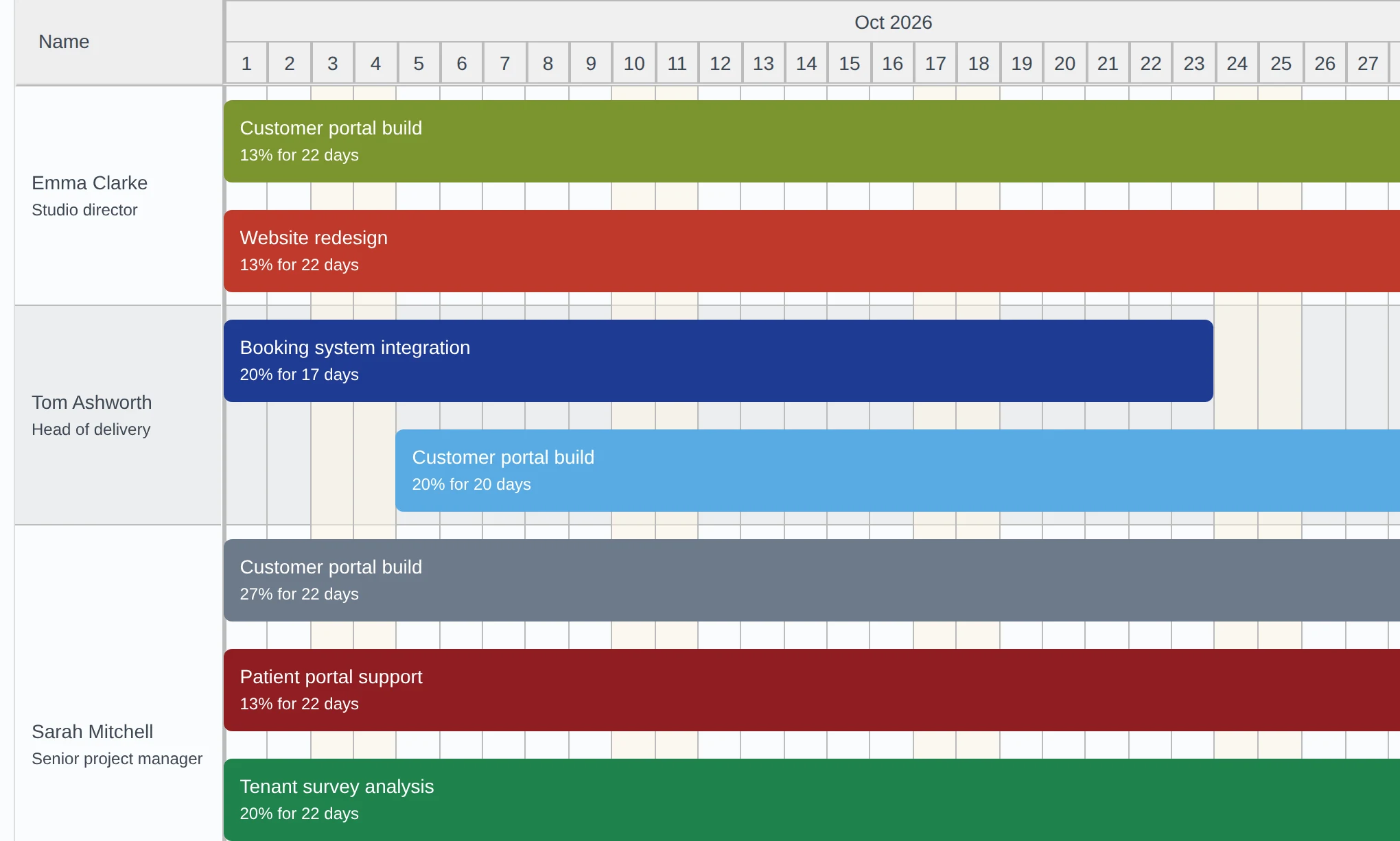
- Plan who is working on which project, and for how many hours
- Compare planned work with each person’s capacity
- A capacity finder to see who has time for the next piece of work
Leave management
Time off sits alongside time worked, so utilisation reflects reality.
- Leave policies and leave types
- Requests and approvals, including half days
- Leave is taken into account in utilisation reports
Expenses
Out-of-pocket costs go where they belong.
- Log expenses against a project
- Mark expenses as billable and approve them
- Expenses carry the currency of their project
- Billable, approved expenses are added to the invoice with the time
Invoicing
From approved hours to a finished invoice in a few steps.
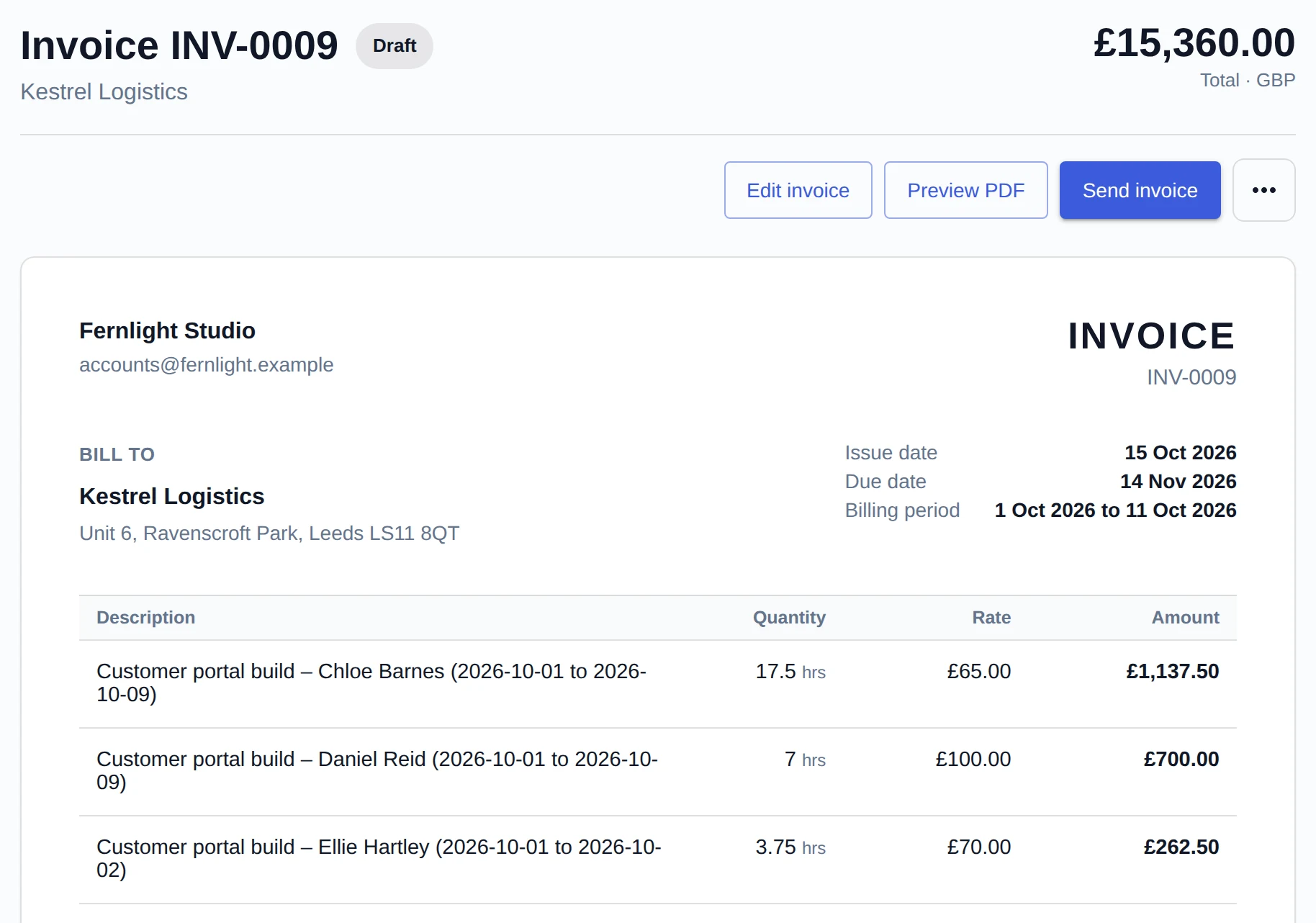
- Create a draft for a client and period from approved, not-yet-invoiced time and billable expenses
- Each hour is priced at the rate in force when it was approved, so a later rate change never alters approved time; edit lines, add your own lines, and set the tax rate and due date
- Download a PDF, or send it by email with the PDF attached
- Mark invoices as sent, paid or void; invoice numbers run in order
- Your logo, payment instructions and, if you add them, your address, company number and VAT number appear on every invoice
- Time on an invoice is locked, so billed hours cannot quietly change
Reports and dashboards
Answers to the questions you ask every month.
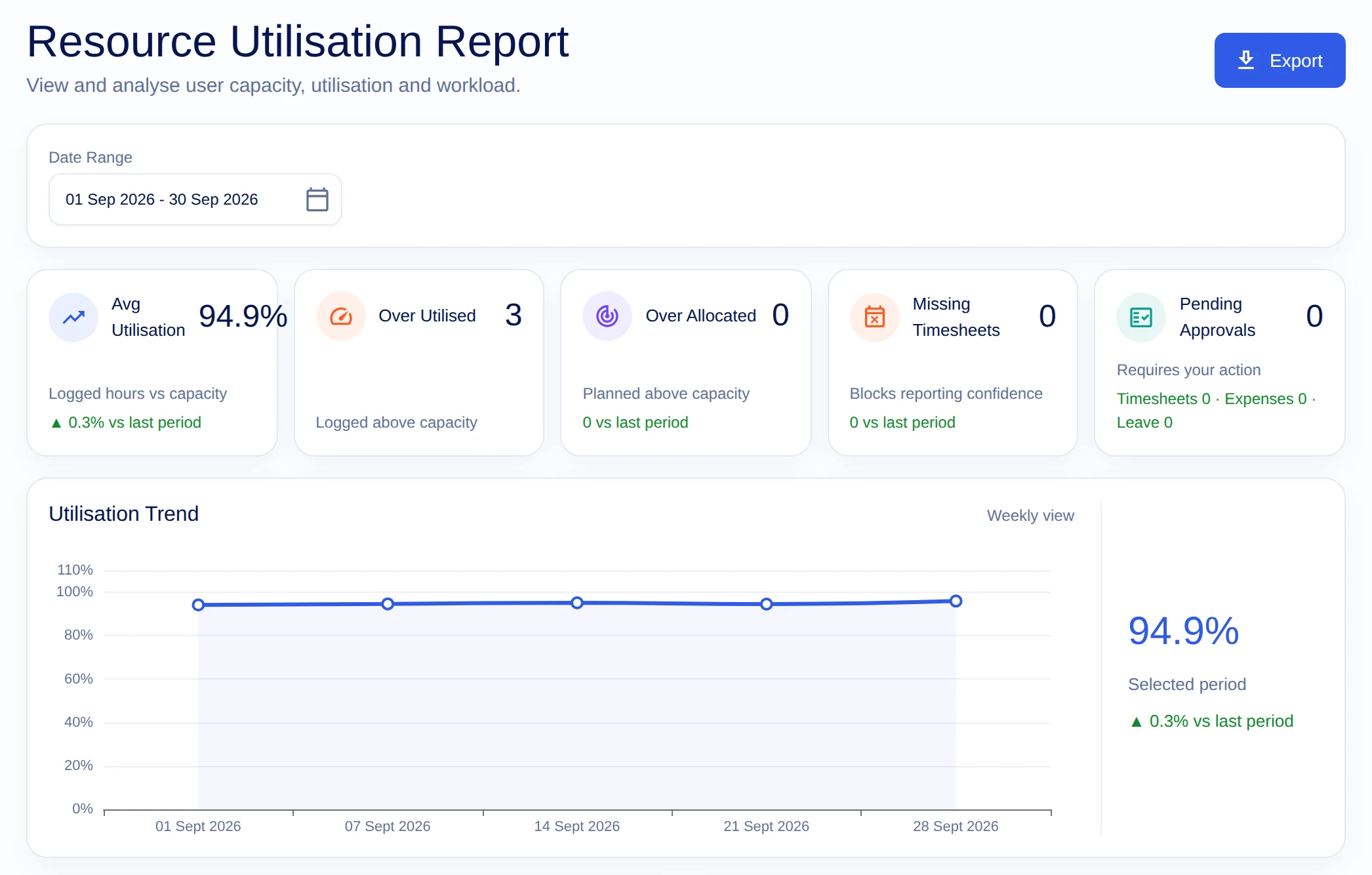
- Time by project, task and person, and the utilisation of your team
- Dashboards for projects, people and missing timesheets
- An executive view of the whole organisation
- Share a report with a client through a link
- Reports follow the same approved time as invoices
People and permissions
The right access for each role, and nothing more.
- Administrators, people managers, project managers, delivery managers and team members
- Invite people by email and archive them when they leave
- Managers see their own team; project managers see their projects
- Organisation-wide settings for currency, timer rounding and your invoice branding
Take it for a spin.
The free plan is free for good, and the trial includes everything.
Start free trial