Invoicing
Turn approved hours and billable expenses into a PDF invoice.
A manager reviews each timesheet before it can be billed. Team members and managers cannot approve their own time, and only approved hours reach an invoice.
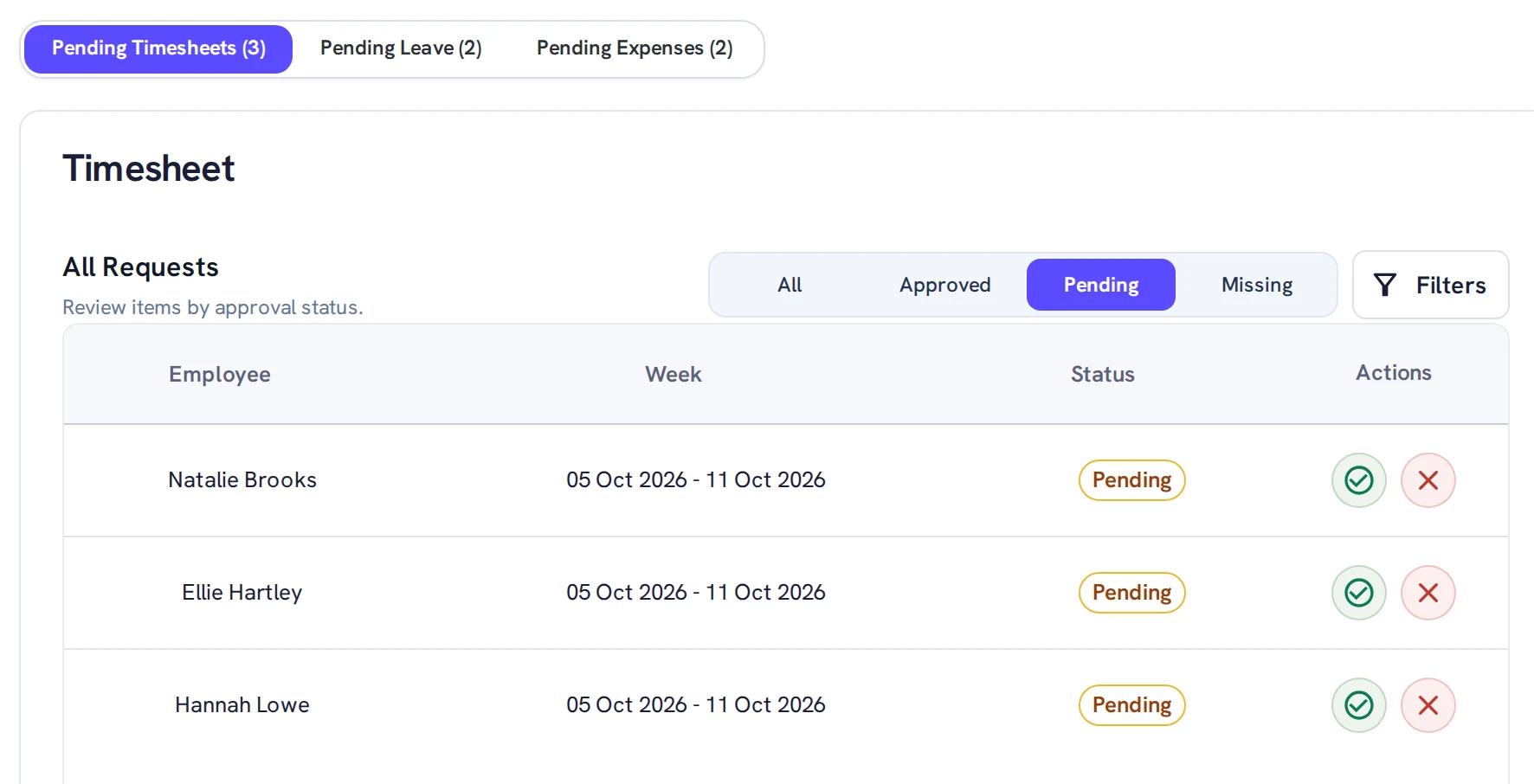
Timesheets that are waiting for a decision collect in an approval queue. Managers approve or reject the timesheets of the people they manage, using the buttons beside each one.
Managers see their own team and project managers see their projects, so a reviewer only meets the time they are responsible for.
Team members and managers cannot approve their own time. Only an administrator can, so an owner working alone can still invoice.
In a team, that means a second person has looked at the hours before they are billed. That one rule is what makes “approved” mean something on an invoice.
People managers review and approve timesheets for the people assigned to them. Project managers manage the projects they are assigned to. Delivery managers do both: they approve timesheets for their people and manage their projects.
The approval queue has a tab for each kind of request you can decide, such as timesheets, leave and expenses, with a count of what is waiting. You only see the tabs your role allows.
Reminders go out automatically every week for timesheets that are missing, still in draft or rejected. When timesheets are waiting for a decision, a manager can remind the approvers with one click.
Dashboards also show missing timesheets, so you can see who is behind.
These safeguards are also listed on our security page.
Turn approved hours and billable expenses into a PDF invoice.
See who is booked and who has capacity before the work starts.
Each role sees and approves only what it should.
Team members and managers cannot approve their own time. Only an administrator can, which is how an owner working alone can still invoice.
Rejected timesheets are included in the weekly reminders, and rejected time cannot be invoiced. Only approved time can.
Changes to submitted time are recorded in a history you can open, so you can see what changed. Once hours are on an invoice they are locked.
Managers see the people they manage, and project managers see their projects. Each role sees only what it allows, and your organisation’s data is kept separate from every other organisation’s.
Yes. The 15-day free trial includes every feature, for your whole team (up to 100 users), with no card needed. See pricing.